With the latest Nutanix Prism Central version, now Nutanix Admin do have the capability to move vDisk between storage containers.
Nutanix since the beginning, always had the capability and provide the flexibility to create storage containers and enable to proper storage policies for efficiency such as Compression, Dedupe, EC-X Now, with PC be able to re-allocate vDisk to ensure the are in the proper container with correct Storage Efficiency Policies enabled. This will maximize performance and ensure best used of storage capacity.
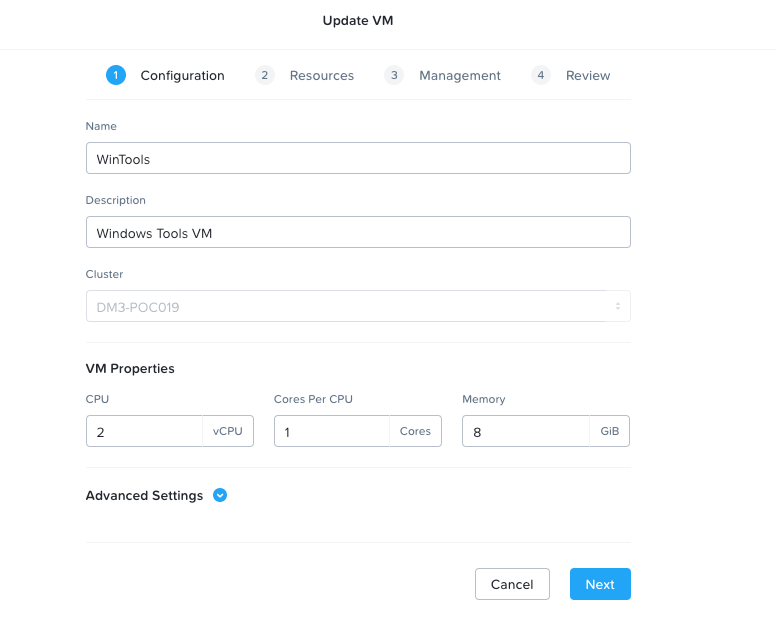
The process is very simple, first navigate to the VM section under the Compute and Storage in Prism Central. Then, select the Virtual Machine need the vDisk migrate. Select the Action Ribbon and click on Update.
It will open the VM update Wizard Page:
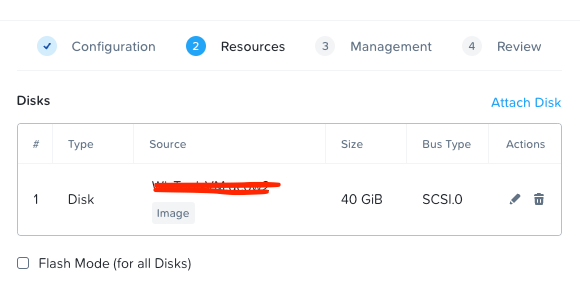
Then, navigate to the Resource Page under the Update VM Wizard, select the Disk need to be migrate to new Storage Container and Select Edit.
This will take you to the Update Disk Section or Page:
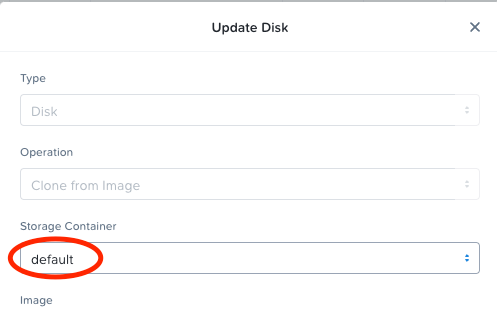
As you can see, I have the Default Storage Container however, I created a new Storage Container with more specific Storage Efficiency Policies for this particular VM so I will click the drop down arrow, look for my new Storage Container and select:
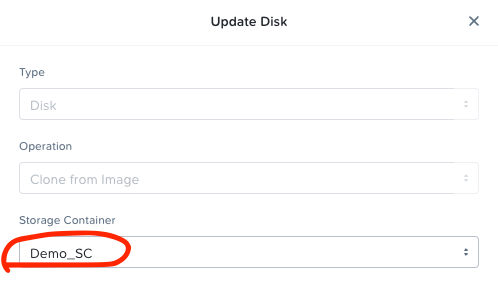
Hit Save and move on with Updating the Virtual Machine Wizard.
A quick Note, depend of the size of the vDisk, it can take as only as 10 seconds to a few minutes, again, it all depend of the size of the vDisk.
We would like Nutanix continue on developing more on this as this was a long due ask for sometime now from customers and us Technology Afficionadors.
Until later!!



 My Daily Cloud Blog
Leave a comment