
If you forgot the ADMIN password for your AHV Hypervisor node but never did change the nutanix account password, you still have to opportunity to reset those password or hardening them as well.
First, login to the AHV Hypervisor via SSH using the nutanix account. The default password notmally is nutanix/4u
Second, we will start by resetting the Admin Password so run the following command:
sudo passwd admin

Then, type the new password and confirm the new password:

You should get a Successful respond as illustrate above.
Now, we will reset the nutanix as well root account password. To do this, log in with your admin account using the newly reset password we did previously.
Repeat same steps we follow when we reset the admin account.
This time it will asked you to provide the admin credentials before elevating the command:
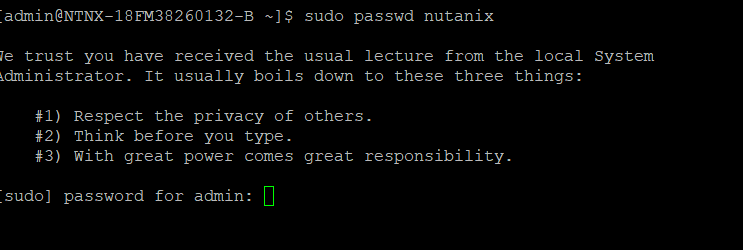
Then proceed to type the new password and confirm it. Follow same process with the root account.




 My Daily Cloud Blog
Leave a comment