
Migrating to Azure can feel overwhelming, especially when you’re dealing with legacy infrastructure, tight timelines, and business-critical workloads. That’s where Azure Migrate comes in.
Azure Migrate is Microsoft’s central hub for cloud migration, designed to help organizations discover, assess, migrate, and modernize workloads moving to Azure—all from a single, unified service.
In this post, we’ll break down what Azure Migrate is, how it works, and why it should be the foundation of any Azure migration strategy.
What Is Azure Migrate?
Azure Migrate is a Microsoft service that provides a single portal experience to track and manage your migration journey to Azure. It supports migrations from:
- On-premises data centers
- VMware environments
- Hyper-V environments
- Physical servers
- Other cloud platforms
Rather than being a single tool, Azure Migrate acts as a framework and orchestrator that integrates multiple discovery, assessment, and migration tools under one umbrella.
Why Azure Migrate Matters
Cloud migrations fail when organizations:
- Skip proper assessments
- Underestimate dependencies
- Ignore cost and performance planning
- Treat migration as “lift and forget”
Azure Migrate addresses these issues by enforcing a structured, data-driven approach aligned with Microsoft best practices and the Microsoft Cloud Adoption Framework.

Core Components of Azure Migrate
1. Discovery & Assessment
Azure Migrate discovers your environment and answers critical questions like:
- What servers do I have?
- How are they sized?
- What are they dependent on?
- How much will they cost in Azure?
Key capabilities:
- Performance-based VM sizing
- Dependency mapping
- Readiness checks for Azure
- Cost estimation with Azure pricing
Supported sources:
- VMware vSphere
- Hyper-V
- Physical servers
- Other clouds

2. Migration & Modernization
Once workloads are assessed, Azure Migrate helps you move them using built-in and integrated tools.
Supported migration paths:
- Server migration (IaaS)
- Database migration
- Web app migration
- Data migration
Azure Migrate integrates with services like:
- Azure Database Migration Service
- Azure Site Recovery
- Azure App Service migration tools
3. Centralized Migration Tracking
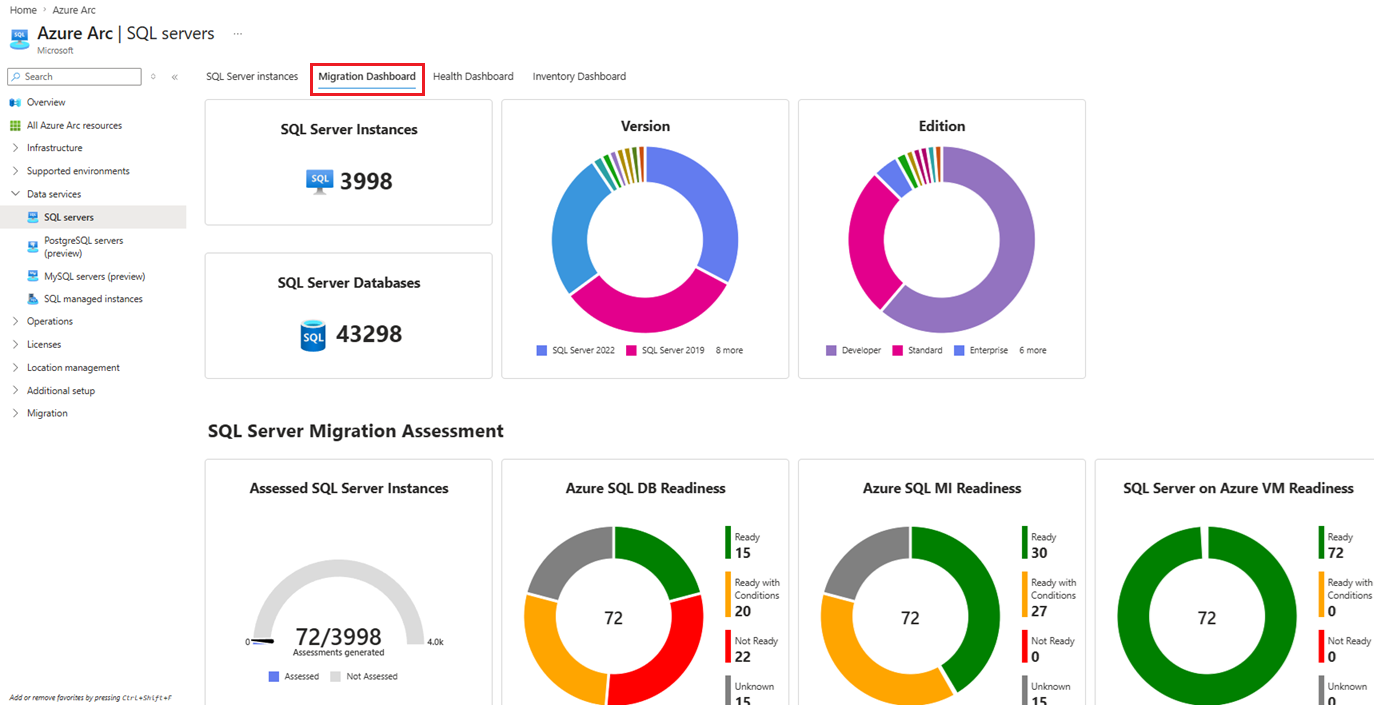
Azure Migrate provides:
- End-to-end migration status
- Wave-based tracking
- Readiness and completion reporting
This makes it easier to:
- Communicate progress to stakeholders
- Manage large-scale enterprise migrations
- Align IT and business leadership
Azure Migrate Workflow (High Level)
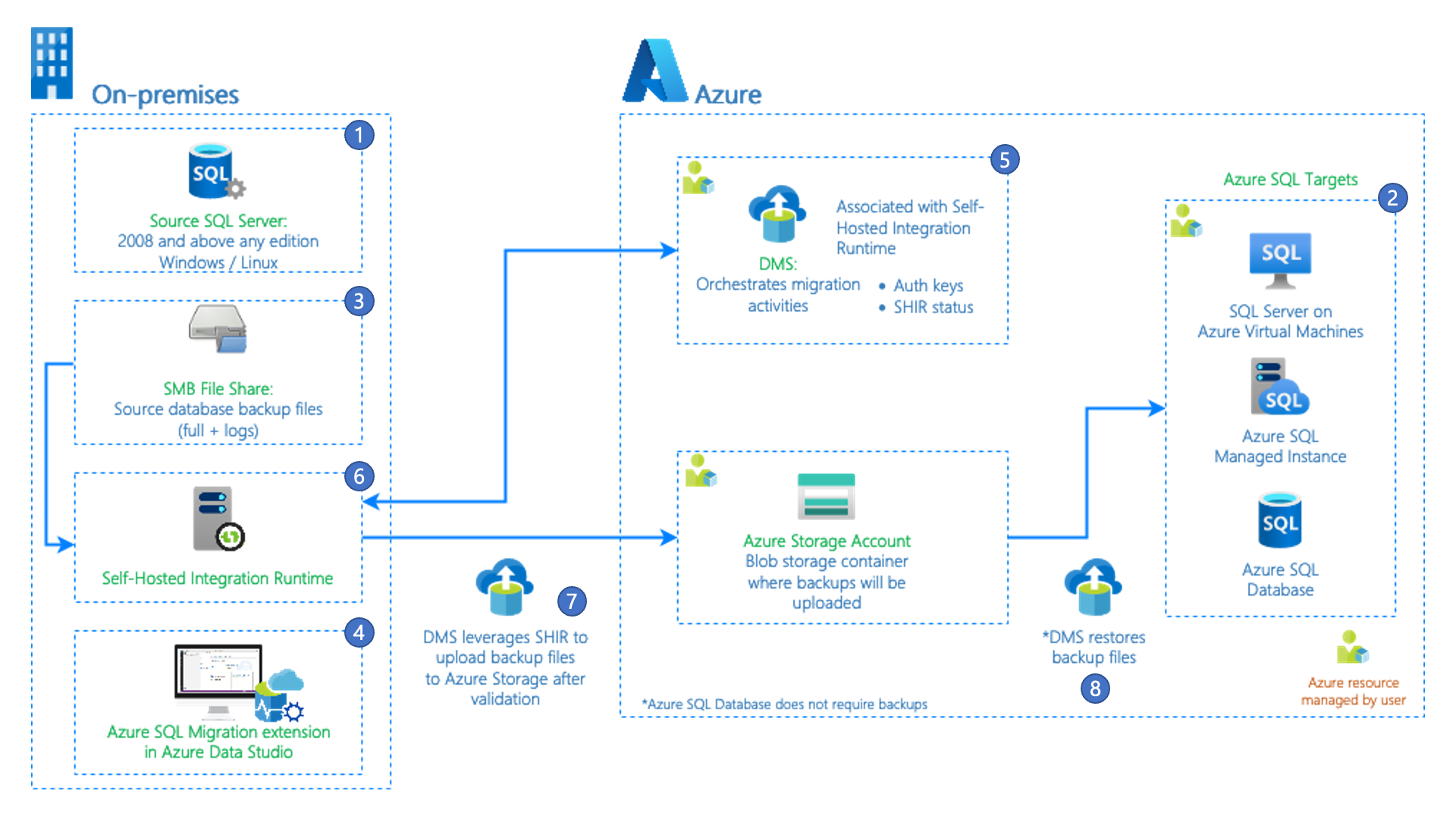
- Discover on-prem or cloud workloads
- Assess readiness, performance, and cost
- Plan migration waves and priorities
- Migrate workloads to Azure
- Optimize & Modernize post-migration

This structured approach dramatically reduces risk and surprises during cutover.
Migration Strategies Supported (6R Model)
Azure Migrate supports the industry-standard 6R migration strategies:
- Rehost – Lift and shift to Azure VMs
- Replatform – Minor optimizations (e.g., Azure SQL)
- Refactor – Cloud-native redesign
- Repurchase – Move to SaaS
- Retire – Decommission unused workloads
- Retain – Keep on-prem for now
Best Practice: Start with re-host for speed, then modernize later.
Security & Governance Built In
Azure Migrate aligns tightly with Azure security and governance services:
- Azure RBAC & least privilege
- Network dependency visibility
- Cost governance planning
- Compliance readiness assessments
When combined with Microsoft Defender for Cloud, organizations gain early visibility into security posture before migration even begins.
Who Should Use Azure Migrate?
Azure Migrate is ideal for:
- Enterprises planning large-scale migrations
- Hybrid cloud environments
- Regulated industries (government, healthcare, finance)
- Organizations modernizing legacy workloads
Whether you’re migrating 10 servers or 10,000, Azure Migrate scales with your environment.
Common Azure Migrate Best Practices
- Always run performance-based assessments
- Enable dependency mapping early
- Migrate in waves, not all at once
- Validate costs before production cutover
- Reassess sizing after migration
Skipping these steps is the fastest way to overspend or underperform in the cloud.
Final Thoughts
Azure Migrate is more than a migration tool, it’s a strategic migration platform that brings structure, visibility, and predictability to your Azure journey.
When used correctly, it:
- Reduces migration risk
- Improves cost accuracy
- Accelerates cloud adoption
- Enables long-term modernization
If Azure is your destination, Azure Migrate Services should be your starting point.


 My Daily Cloud Blog
Leave a comment