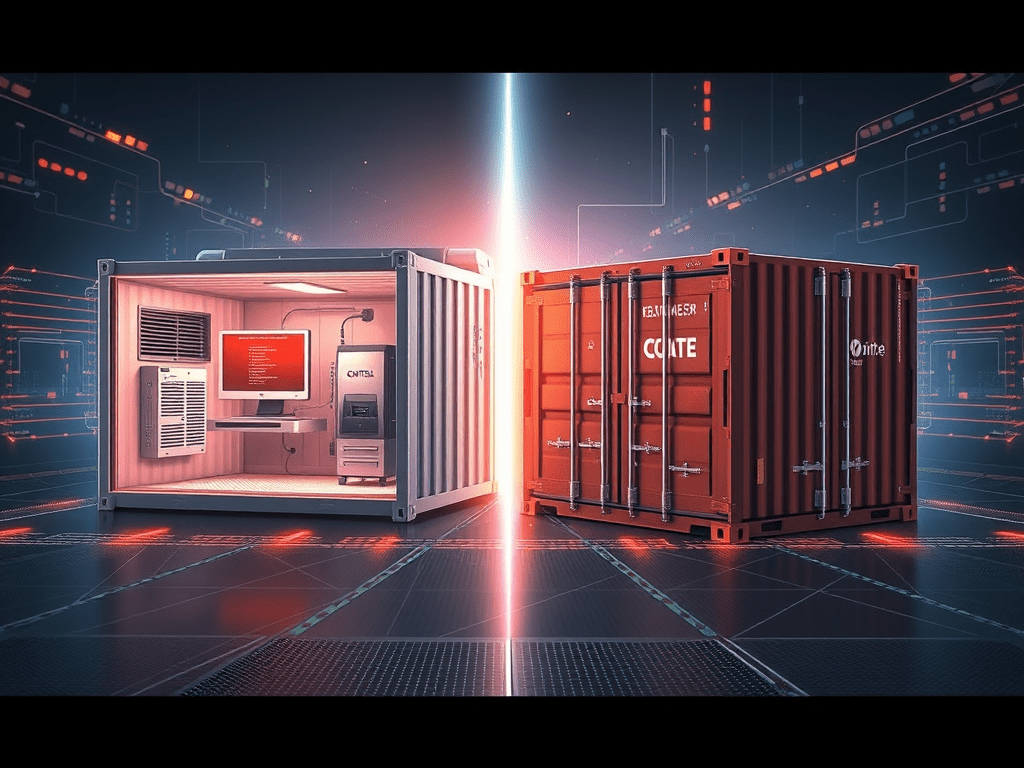
Should we run this workload in a virtual machine or in a container?
Both technologies solve similar problems — isolating applications and workloads — but they do it in very different ways. Understanding the difference is essential when designing scalable, secure, and efficient infrastructure.
In this post, we’ll cover:
- What virtual machines are
- What containers are
- Key architectural differences
- When to use each approach
- When not to use them
- How Docker and Kubernetes fit into the real world
What is a Virtual Machine?
A Virtual Machine (VM) is a fully isolated operating system that runs on top of a hypervisor.
The hypervisor allows multiple virtual machines to share the same physical hardware while maintaining strong isolation between them.
Each VM contains:
- Its own guest operating system
- Virtualized CPU
- Virtualized memory
- Virtualized storage
- Virtualized network interfaces
Common hypervisors include VMware ESXi, Microsoft Hyper-V, Nutanix AHV, KVM, and Xen. Public cloud services also rely heavily on VMs (AWS EC2, Azure Virtual Machines, Google Compute Engine).
VM Architecture
Physical Server
     │
Hypervisor (VMware / Hyper-V / KVM)
     │
 ┌───────────────┐
 │ VM 1 (Linux)  │
 │ App + OS      │
 └───────────────┘
 ┌───────────────┐
 │ VM 2 (Windows)│
 │ App + OS      │
 └───────────────┘
 ┌───────────────┐
 │ VM 3 (Linux)  │
 │ App + OS      │
 └───────────────┘
Each VM runs its own complete OS, which provides strong isolation but increases overhead.
What are Containers?
Containers are a lightweight application packaging approach that allow applications to run in isolated user spaces while sharing the host operating system kernel.
Instead of virtualizing the hardware, containers virtualize the operating system layer.
Popular container platforms and standards include Docker, Kubernetes (for orchestration), Podman, and containerd.
Containers package:
- Application code
- Runtime
- Dependencies
- Libraries
- Configuration
Because containers share the host OS kernel, they’re significantly smaller and faster to deploy than virtual machines.
Container Architecture
Physical Server
     │
Host Operating System
     │
Container Runtime (Docker / containerd)
     │
 ┌───────────────┐
 │ Container 1   │
 │ App + libs    │
 └───────────────┘
 ┌───────────────┐
 │ Container 2   │
 │ App + libs    │
 └───────────────┘
 ┌───────────────┐
 │ Container 3   │
 │ App + libs    │
 └───────────────┘
Because containers don’t require a full OS per workload, they’re much more resource efficient.
Key Differences Between Virtual Machines and Containers
| Feature | Virtual Machines | Containers |
|---|---|---|
| Isolation | Hardware-level virtualization | OS-level isolation |
| OS | Each VM runs its own OS | Containers share host OS kernel |
| Startup Time | Minutes | Seconds or milliseconds |
| Size | GBs | MBs |
| Overhead | Higher | Low |
| Portability | Good | Excellent |
| Best Fit | Full OS / legacy workloads | Cloud-native apps / microservices |
If you’ve ever Googled “Docker containers vs virtual machines”, the short answer is: containers are lighter and faster, while VMs provide stronger isolation and OS flexibility.
When Virtual Machines Are a Good Idea
1) Legacy Applications
Many enterprise applications were designed to run directly on operating systems and can’t easily be containerized (or would require major redesign). VMs provide a stable, familiar runtime without forcing a full refactor.
2) Strong Isolation Requirements
VMs typically provide stronger isolation boundaries because the hypervisor separates workloads at the hardware layer. This can be important for compliance-driven or security-sensitive environments.
3) Mixed Operating Systems
If you need both Linux and Windows workloads on the same host, VMs are the correct choice. Containers share the same kernel, so you can’t mix OS types on one host the same way.
4) Traditional Infrastructure Workloads
Domain controllers, AD services, file servers, VDI, and many enterprise databases still fit best on VMs in a lot of environments.
When Containers Are a Good Idea
1) Microservices Architecture
Containers are ideal for microservices because they scale independently, deploy quickly, and keep dependencies cleanly packaged per service.
2) CI/CD Pipelines
Containers make builds and deployments consistent across dev, test, and prod. This is a major reason container-based delivery is common in modern DevOps.
3) High Scalability Applications
Because containers start fast and scale horizontally well, they’re a strong fit for APIs, web apps, and SaaS platforms.
4) Resource Efficiency
Containers reduce overhead (no full OS per workload). That often means better density and cost efficiency compared to VM-only designs.
Docker vs Kubernetes: How They Fit Into Containers (and When VMs Still Matter)
This is where most real-world environments land: Docker builds and runs containers, and Kubernetes orchestrates them.
Docker (Container Runtime)
Docker is commonly used to:
- Build container images (Dockerfiles)
- Run containers locally for development/testing
- Push images to registries (Docker Hub, ECR, ACR, GCR)
So when people say “Docker containers,” they’re usually talking about a standardized way to package an app and run it consistently anywhere.
Kubernetes (Container Orchestration)
Kubernetes (K8s) is used when you need production-grade operations like:
- Auto-scaling (horizontal pod autoscaling)
- Self-healing (restarts/rescheduling)
- Rolling deployments and rollbacks
- Service discovery and load balancing
- Secrets/config management
If you’re comparing Kubernetes vs virtual machines, Kubernetes isn’t “instead of VMs” — it’s usually on top of VMs (or cloud-managed nodes) to run containerized workloads at scale.
Why Containers Often Still Run on VMs
Many production platforms run Kubernetes worker nodes on VMs because it gives you:
- Stronger isolation boundaries between hosts
- Clean scaling of node pools
- Better separation of duties (platform vs application layers)
- Compatibility with cloud provider networking/storage integrations
In other words: VMs often provide the stable “floor,” and Kubernetes provides the flexible “ceiling.”
When Virtual Machines Are NOT a Good Idea
- When rapid scaling is required: VM provisioning is slower than container scheduling.
- When deploying lots of small services: VM overhead can become inefficient.
- For modern CI/CD delivery: containers are usually a better fit for portability.
When Containers Are NOT a Good Idea
- Hard-to-containerize legacy apps: some apps expect full OS behavior or deep system integration.
- Heavy OS customization needs: containers are not full OS environments.
- Complex stateful enterprise setups: you can run stateful workloads in Kubernetes, but it demands strong storage, backup, and operational maturity.
The Modern Reality: Using Both Together
In most modern environments, the winning approach is hybrid:
- Virtual machines for base infrastructure and OS-level workloads
- Containers for modern applications, APIs, and microservices
- Kubernetes for orchestration at scale
Cloud Infrastructure
     │
Virtual Machines (worker nodes)
     │
Kubernetes Cluster
     │
Containers running applications
Final Thoughts
Virtual machines and containers aren’t enemies — they’re tools for different jobs.
Use Virtual Machines when you need:
- Strong isolation
- Full operating systems
- Legacy workload compatibility
Use Containers when you need:
- Fast deployments
- Microservices architecture
- High scalability
- Efficient resource utilization
The best architectures combine both to deliver resilient, scalable, and efficient platforms.
Daily Cloud Blog tip: Join us for more content like this or other technology topics.


 My Daily Cloud Blog
Leave a comment