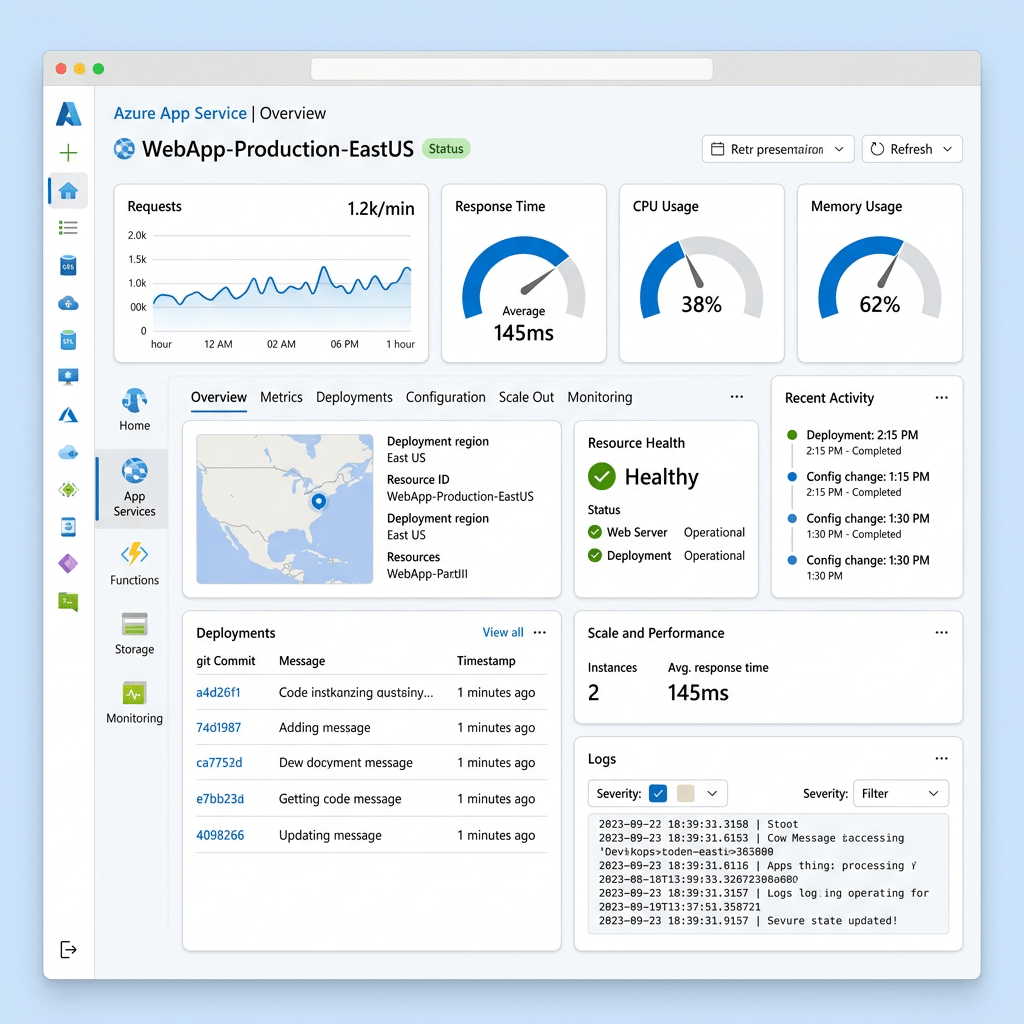
Azure App Service Overview
A practical look at Microsoft’s fully managed platform for building, hosting, scaling, and securing modern web applications, APIs, and mobile back ends.
By Christian Marrero Bonilla | Daily Cloud Blog
Azure App Service is one of the most commonly used Platform as a Service offerings in Microsoft Azure. It allows organizations to deploy web applications, REST APIs, and mobile back ends without having to manage the underlying servers, operating system patching, load balancing, or core infrastructure components.
Instead of spending time building and maintaining virtual machines, teams can focus on application code, deployment pipelines, security, performance, and business functionality. For many organizations, App Service becomes the first step toward modernizing traditional web applications and moving them into a cloud-native operating model.
What Is Azure App Service?
Azure App Service is a fully managed hosting platform for web applications. It supports popular development stacks such as .NET, Java, Node.js, Python, PHP, and container-based workloads. Developers can deploy code directly from source control, CI/CD pipelines, ZIP packages, containers, or DevOps platforms.
Why Organizations Use Azure App Service
Managed Infrastructure
Microsoft manages the platform, reducing the operational burden of server maintenance, patching, and infrastructure lifecycle management.
Built-In Scalability
Applications can scale up to larger compute sizes or scale out across multiple instances based on performance and availability needs.
Deployment Flexibility
Teams can deploy through Azure DevOps, GitHub Actions, containers, FTP, ZIP deployments, or direct source control integration.
Security Integration
App Service integrates with Microsoft Entra ID, managed identities, private endpoints, custom domains, TLS certificates, and application settings.
Understanding the App Service Plan
Every App Service application runs inside an App Service Plan. The plan defines the compute resources, region, operating system, pricing tier, scaling capabilities, and overall capacity available to the application.
Multiple applications can run inside the same App Service Plan, which can be useful for cost optimization. However, all apps in the same plan share the same compute resources. This means that a poorly performing or resource-heavy app can impact other apps hosted in that same plan.
Separate production, development, and critical workloads into different App Service Plans when performance isolation, security boundaries, or cost visibility are important.
Key Features of Azure App Service
1. Deployment Slots
Deployment slots allow teams to deploy a new version of an application into a separate slot, such as staging, before swapping it into production. This helps reduce downtime and provides a safer release process.
2. Autoscaling
App Service supports scaling based on workload demand. You can scale vertically by moving to a larger pricing tier or scale horizontally by adding more instances.
3. Custom Domains and TLS
Organizations can map custom domains to their applications and secure traffic using TLS certificates. This is important for production workloads, customer-facing portals, and APIs.
4. Managed Identity
Managed identities allow an App Service application to securely access Azure resources such as Azure SQL Database, Key Vault, and Storage Accounts without storing credentials in code.
5. Monitoring and Diagnostics
App Service integrates with Azure Monitor, Application Insights, diagnostic logs, metrics, and alerts. This gives teams better visibility into application performance, availability, and troubleshooting data.
Common Use Cases
- Hosting enterprise web applications
- Running REST APIs and backend services
- Modernizing legacy IIS-based applications
- Hosting internal business portals
- Deploying containerized web apps
- Building proof-of-concept and production SaaS applications
App Service vs Virtual Machines
Traditional virtual machines give administrators full control over the operating system, runtime, and configuration. That level of control can be useful, but it also increases management overhead.
Azure App Service removes much of that infrastructure responsibility. For many web applications, this is a better operational model because teams no longer need to manage OS patching, IIS configuration, server availability, or manual scaling.
Azure App Service is ideal when you want a managed platform for web workloads and do not need deep operating system-level customization.
Security Considerations
Security should be part of the design from the beginning. At a minimum, production App Service environments should use HTTPS-only access, managed identities, secure application settings, least-privilege access, monitoring, and integration with Microsoft Defender for Cloud where appropriate.
For more sensitive workloads, organizations should evaluate private endpoints, VNet integration, Key Vault references, IP restrictions, Web Application Firewall integration through Application Gateway or Front Door, and separate App Service Plans for workload isolation.
Best Practices
- Use deployment slots for safer production releases.
- Enable Application Insights for performance visibility.
- Use managed identity instead of storing secrets in code.
- Store sensitive values in Azure Key Vault.
- Separate production workloads from development and test workloads.
- Right-size the App Service Plan to avoid unnecessary cost.
- Use autoscaling for applications with variable traffic patterns.
- Secure public applications with custom domains, TLS, and WAF integration when needed.
Final Thoughts
Azure App Service is a strong option for organizations that want to modernize application hosting without taking on the operational overhead of managing servers. It provides a balance between simplicity, scalability, security, and enterprise integration.
For small teams, it can accelerate cloud adoption. For larger organizations, it can standardize web application hosting while integrating with existing Azure governance, identity, security, monitoring, and DevOps processes.
The key is designing it properly from the beginning. App Service is easy to deploy, but production-ready architecture still requires planning around networking, identity, security, monitoring, scaling, backup, cost management, and operational ownership.
Need Help Designing Azure App Service Environments?
MB Technology Group LLC helps organizations design, deploy, secure, and optimize cloud infrastructure across Microsoft Azure, AWS, virtualization platforms, and hybrid environments.





Leave a comment